Bookings Manager (aka Visitor Bookings Manager) - Amending and Deleting Bookings
Introduction
In Havenstar, Booking Manager (aka Visitor Bookings Manager) is the module used to manage short stay and visitor bookings within a marina.
It allows staff to:
-
Record arrivals and departures for visiting boats
-
Allocate berths for specific dates and times
-
Track availability and occupancy in real time
-
Apply the correct tariffs based on stay duration, boat size, and season.
-
Generate charges directly from bookings, reducing manual billing.
Key characteristics:
-
It is designed for transient traffic rather than long term berth holders
-
It links bookings to boats, customers, and berths
-
It feeds financial data into Havenstar’s charging and invoicing processes
-
It provides operational visibility, so staff can see who is on site and for how long
In essence, Booking Manager is the operational control centre for visitor berthing.
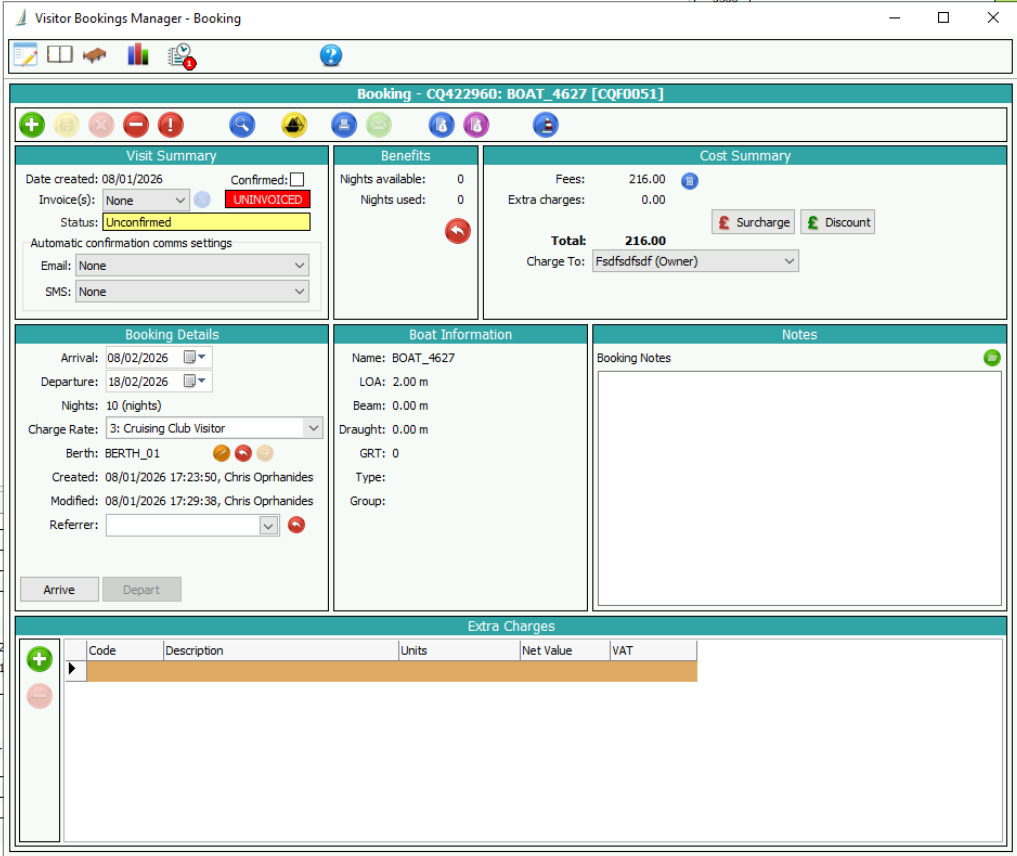
Amending a Booking
1.
To amend a booking simply find the booking using
any of the options and click on the Edit
button.
2.
Amend arrival or departure dates and assigned
berth as required. The Charge rate can only be amended if not invoiced. You
will need to Save after amending the charge rate.
3.
Click OK
and when prompted to confirm select Yes.
Deleting a Booking
1.
Select Bookings Manager and use the search icon to
locate the booking for the correct boat. Use the date range fields to filter or
enter use the Boat name search facility by clicking the
icon at the end of the
boat field and typing in the name of the boat.
2. Double-click on the required booking displayed in the list.
3.
Click on the Cancel button and at the confirm action dialog box, click Yes to delete this booking.